

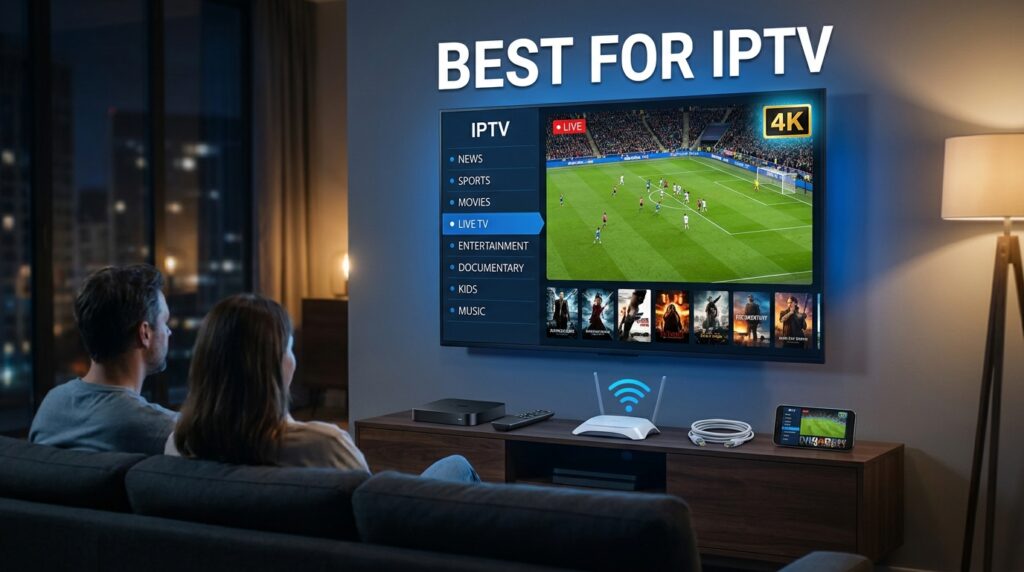
Why Your Setup Decides More Than You Think
IPTV stands for Internet Protocol Television. As the Wikipedia entry on Internet Protocol Television explains, it delivers TV over internet networks rather than cable or satellite.
Because everything arrives over your own network and plays on your own hardware, your setup sits between the provider and your eyes:
- A weak device cannot decode what a strong service sends
- Congested Wi-Fi introduces stutter no provider controls
- A poor player app loads guides slowly and crashes
- A router without prioritisation lets downloads interrupt streams
Switching providers cannot fix any of those. That is why identifying what is best for IPTV in your own home starts here.
Best Device for IPTV
This deserves the first substantive section, because the device is the single biggest hardware variable.
Strongest option: a high-end Android TV box
Devices like the Nvidia Shield TV Pro carry more memory and processing power than any streaming stick. They handle huge channel lists and heavy player apps without slowdown, and they last for years. The trade-off is price.
Best value: a modern 4K streaming stick
A current-generation 4K stick handles 4K streams, modern encoding, and busy apps comfortably at a fraction of the cost. For most households this is the sweet spot. Our best IPTV for Firestick guide covers this category in detail.
Adequate: a Smart TV from 2021 onward
Recent Smart TVs run player apps natively, which saves an HDMI port. They tend to be slower than dedicated devices as channel lists grow, but they work.
Avoid: anything pre-2020
Older sticks and boxes predate current encoding standards and have very limited storage. They silently downgrade streams and stall on guide data. No provider can compensate for this.
Best Connection for IPTV
The second variable, and the one people underestimate.
Best: wired Ethernet
A direct cable removes wireless variability entirely. Streaming sticks accept an inexpensive Ethernet adapter, and it is the single most effective upgrade available for a main television. If you do one thing from this guide, do this.
Good: 5 GHz Wi-Fi
Faster and less congested than 2.4 GHz, though shorter range. Keep the device within reasonable distance of the router.
Weakest: 2.4 GHz Wi-Fi
Crowded by every neighbouring network and household appliance. It works, but it is where most peak-hour stutter originates.
Confirm your actual throughput at Speedtest.net, testing on the device you stream with rather than your phone in another room.
Best Router Settings for IPTV
Free improvements, and most people never touch them.
- Enable QoS and prioritise your main streaming device
- Separate your bands, keeping streaming on 5 GHz
- Schedule firmware updates outside viewing hours
- Restart weekly, which clears accumulated state
- Reposition centrally, away from walls and appliances
A router from the last few years with QoS enabled handles a busy household far better than a newer streaming device on a badly configured network.
Best Player App for IPTV
The software layer matters more than most people realise.
What separates a good player from a poor one:
- Fast EPG loading, even with large channel lists
- Reliable favourites and sorting, so you find channels quickly
- Stable playback without frequent crashes
- Regular updates from an active developer
- Standard credential support via M3U or Xtream Codes
Prefer widely used, actively maintained players over a provider’s own app. A standard player is replaceable, better tested, and keeps your setup portable if you ever change services.
What Internet Speed Is Best for IPTV?
Hardware only helps if the bandwidth exists. According to the FCC Broadband Speed Guide:
- SD quality: 5 Mbps
- HD and FHD: 10 Mbps
- 4K Ultra HD: 25 Mbps per stream
Those figures are per stream, so a household running three screens roughly triples the requirement. Aim for 75 to 100 Mbps for comfortable headroom.
Note that speed is not the whole story. Consistency matters more than peak numbers, which is why a wired 50 Mbps connection often outperforms a congested 200 Mbps one.
Simple fixes for buffering
- Wire your main TV with an Ethernet adapter
- Keep the router close, or use 5 GHz
- Pause large downloads during viewing
- Restart the device and router weekly
Best Storage Practice on Streaming Devices
A quiet problem that causes loud symptoms.
Streaming devices ship with modest storage, and a nearly full one behaves badly:
- Apps open slowly or crash
- Guide data fails to populate
- Channel lists stutter while scrolling
- Updates fail silently
Fixes that cost nothing:
- Uninstall apps you never use
- Clear your player app cache monthly
- Keep at least 1 GB free where possible
- Restart the device weekly
Many people switch providers over problems a storage clean-up would have solved.
What Is Best for IPTV on the Provider Side
Hardware is half the answer. On the service side, four things matter regardless of brand:
- Peak-hour stability, tested during a live event rather than a quiet afternoon
- Your specific channels, searched by name rather than trusting totals
- Enough connections for the screens you actually run at once
- Support that answers, tested by messaging before you pay
Browse an openly itemised lineup on our full IPTV channels list and search it for your own channel names.
What Should IPTV Cost?
Price is a signal about whether server capacity exists for peak hours.
Realistic 2026 pricing:
- Monthly plans: roughly $10 to $20
- 6-month plans: often around $40
- Yearly plans: commonly around $60, the lowest honest monthly rate
- Multi-connection plans: slightly higher, for several screens at once
A price far below that range signals cut capacity, which no amount of good hardware compensates for. Compare transparent rates on our pricing page.
IPTV Setup vs Cable Equipment
Research from Statista on the streaming market documents internet-delivered video growing every year while traditional pay TV keeps shrinking.
| Feature | IPTV Setup | Cable Equipment |
|---|---|---|
| Hardware cost | Under $60, one time | Rented monthly per box |
| Extra TVs | Another cheap device | Another rental fee |
| Upgrading | Buy a new stick | Wait for the provider |
| Portability | Fits in a pocket | Fixed installation |
| Ownership | Yours | Returned on cancellation |
| Setup | Under 10 minutes | Technician appointment |
You own an IPTV setup outright, which is why investing a little in the right device pays back quickly.
Is IPTV Legal?
An honest answer matters here. The technology is entirely legal, the devices are legitimate consumer products, and paying for a subscription is legal. What determines legality is whether the provider licenses the content it streams.
When a seller offers premium channels for almost nothing, that raises questions, because real licensing is expensive. Streaming unlicensed content is illegal in the United States and most countries. The U.S. Copyright Office publishes clear information on content rights.
Choose providers that are transparent about their terms, publish real pricing, and accept standard payment methods.
Red Flags Worth Catching
Warning signs on the service side:
- No trial offered, preventing a real setup test
- A proprietary app only, with no standard player option
- Hidden pricing requiring contact for a quote
- Prices that defy operating economics
- Crypto-only checkout removing your recourse
- No verifiable brand behind the service
Learn more from the FTC’s guidance on avoiding online scams.
Building the Best IPTV Setup in One Evening
The complete sequence:
- Check your device generation and replace anything pre-2020
- Wire your main TV with an Ethernet adapter if possible
- Enable QoS on your router for that device
- Clear storage and install a well-maintained player
- Start a trial. Our 24 hour trial gives full access with no risk.
- Test during a busy evening, then judge the service fairly
Testing a provider on a badly configured setup tells you nothing useful. Fix the setup first, then evaluate. If anything is unclear, our support team answers questions daily.
Frequently Asked Questions About What Is Best for IPTVHere
What device is best for IPTV?
A high-end Android TV box for maximum performance, or a current-generation 4K streaming stick for the best value. Avoid anything made before 2020.
Is wired or Wi-Fi best for IPTV?
Wired Ethernet, without question. An inexpensive adapter for your streaming stick removes wireless variability and resolves most peak-hour stutter.
What player app is best for IPTV?
A widely used, actively maintained player supporting M3U and Xtream Codes. Standard players are better tested and keep your setup portable.
Does a better router help IPTV?
Yes. Enabling QoS to prioritise your streaming device often improves playback more than upgrading your internet plan does.
Do I need a VPN for IPTV?
No, it works without one. Some users add a VPN purely for personal privacy preferences.
Final Thoughts: Fix the Setup, Then Judge the Service
What is best for IPTV is usually a question about your own equipment rather than a provider ranking. A modern device, a wired connection, a configured router, a maintained player, and free storage will transform your streaming regardless of which service you use.
Get those five right first. Then test a provider during a busy evening and judge it fairly, knowing that what you see is the service rather than your setup. That order saves people from switching repeatedly and never fixing the actual problem.
Ready to test a service on a properly configured setup? Start your 24 hour IPTV trial and judge it fairly tonight, full access, zero risk. Questions first? Message our team and time the reply yourself. And if this guide helped, share it with someone blaming their provider for a Wi-Fi problem.