

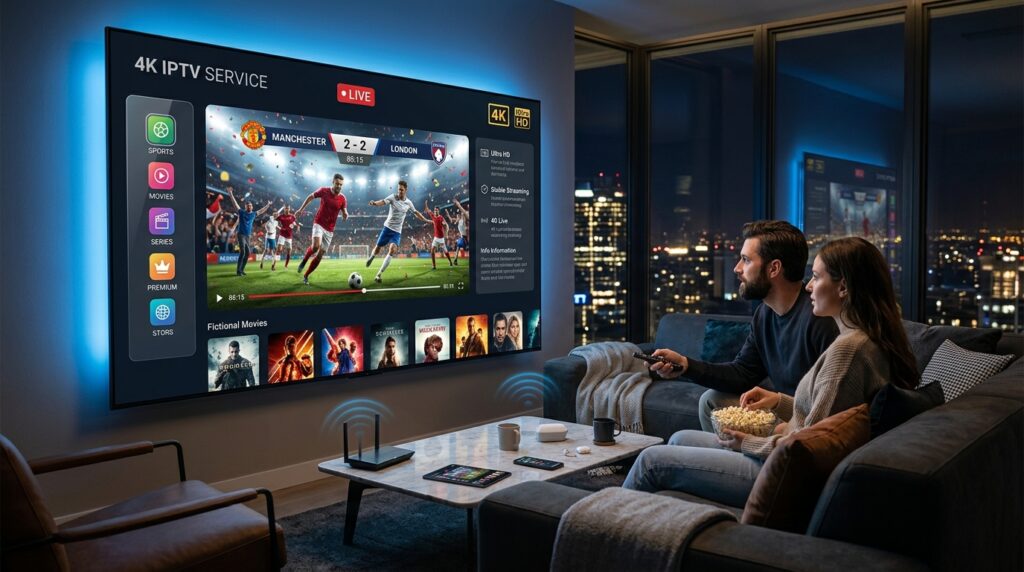
What Is a 4K IPTV Service?
A 4K IPTV service delivers television over the internet at Ultra HD resolution. IPTV stands for Internet Protocol Television, which, as explained in the Wikipedia entry on Internet Protocol Television, streams TV content through IP networks instead of cable or satellite.
The “4K” part means 3840 x 2160 pixels, roughly four times the detail of standard HD. On a capable screen, that translates to:
- Sharper detail in fast-moving sports and action
- Richer color depth and stronger contrast
- Visible texture, from grass on the pitch to fabric on a jersey
- A picture that finally matches the TV you paid for
In short, a proper 4K IPTV service is what your Ultra HD television was built to display, and what cable almost never gives you.
Real Ultra HD vs Upscaled Fake 4K
This is the most important section in this guide, so let’s be blunt.
Native 4K means the stream is captured, encoded, and delivered at full Ultra HD resolution. Every pixel is real.
Upscaled 4K means an HD stream is artificially stretched to Ultra HD dimensions. No new detail is added. It just fills a bigger frame with the same information, and it looks soft, especially in motion.
Many providers label upscaled channels as 4K because buyers cannot tell from a marketing page. You only discover the truth after paying.
How to spot a fake 4K IPTV service
- Check motion. Real Ultra HD stays crisp during fast pans. Upscaled feeds blur.
- Look at on-screen text. Score bugs and tickers stay razor sharp in true 4K.
- Judge the bitrate. Genuine Ultra HD needs serious bandwidth. Suspiciously light streams are a clue.
- Test on a big screen. Fake 4K hides on phones and exposes itself on a 65-inch TV.
- Demand a trial. Any honest provider lets you verify before you pay a cent.
Why a 4K IPTV Service Beats Cable
The shift is not slowing down. Research collected by Statista on the streaming market shows internet-delivered video growing every year while traditional pay TV keeps shrinking. Ultra HD is a major reason.
Cable barely offers 4K at all
Most cable packages still deliver almost everything in HD. Where Ultra HD exists, it covers a handful of channels and usually costs extra. Meanwhile a good 4K IPTV service offers Ultra HD across a far wider lineup for a fraction of the price.
The savings are enormous
The average American cable bill sits above $100 a month once fees pile on. A premium Ultra HD subscription typically costs between $4 and $15 a month, with dramatically more content.
More channels, more freedom
A serious 4K IPTV service gives you:
- 30,000+ live channels from the USA and worldwide
- Tens of thousands of movies and series updated daily
- Every major sports league in the sharpest quality available
- One subscription covering every screen you own
Browse a real example on our full IPTV channels list to see what modern Ultra HD coverage looks like.
What Internet Speed Does Ultra HD Need?
4K is the most demanding thing you can stream, so this matters more than at any other quality level. According to the FCC Broadband Speed Guide, target these numbers:
- SD quality: 5 Mbps
- HD and FHD: 10 Mbps
- 4K Ultra HD: 25 Mbps per stream, minimum
That figure is per stream. If two people watch Ultra HD at once, you need roughly 50 Mbps of headroom. A busy household should aim for 75 to 100 Mbps to stay comfortable during peak hours.
Not sure what you actually have? Run a free test at Speedtest.net before blaming any provider. A weak connection and a weak service look identical on screen.
Keep Ultra HD streams smooth
- Use wired Ethernet for your main TV. WiFi is the top cause of 4K buffering.
- Upgrade to WiFi 6 if a cable is truly impossible.
- Keep the router close to your streaming device.
- Pause large downloads during peak viewing hours.
- Restart your router weekly to clear congestion.
Which Devices Handle a 4K IPTV Service Properly?
Ultra HD needs hardware that can actually decode it. These handle it well:
- Amazon Firestick 4K and 4K Max, the most popular US choice
- Nvidia Shield TV Pro, arguably the strongest performer available
- Smart TVs from Samsung, LG, Sony, and Android TV models
- Apple TV 4K for iOS households
- Android TV boxes with 4K and HEVC support
- PC and Mac with a capable graphics chip
Older Firesticks, budget boxes, and pre-2018 televisions often cannot decode modern Ultra HD codecs smoothly. If your picture stutters, the device is frequently the bottleneck, not the stream.
The 6 Signs of a Genuine 4K IPTV Service
Not every provider delivers what it advertises. Here is what actually matters.
1. Verified Native Ultra HD
Ask directly whether channels are native 4K or upscaled. A confident provider answers clearly and invites you to test.
2. Stability Under Heavy Load
Ultra HD is bandwidth-hungry. Weak servers buckle during big events precisely when you want the best picture. Anti-freeze infrastructure separates professionals from amateurs.
3. Genuine Ultra HD Sports Coverage
This is where 4K shines brightest. Confirm that major leagues and PPV events are actually available in Ultra HD, not merely listed.
4. Modern Codec Support
Efficient encoding delivers Ultra HD without demanding impossible bandwidth. Providers still using outdated codecs struggle to deliver real quality.
5. Fast Human Support
When an Ultra HD stream stutters at 9 PM on game night, you need a real person on WhatsApp in minutes, not a ticket queue that replies next week.
6. A Trial Before You Commit
Any provider proud of its Ultra HD lets you verify it. Our 24 hour trial exists so you can open real 4K channels on your own TV before spending a dollar.
4K IPTV Service vs Cable: Side by Side
| Feature | 4K IPTV Service | Traditional Cable |
|---|---|---|
| Ultra HD channels | Widely available | Very limited, extra cost |
| Average monthly cost | $4 to $15 | $100+ |
| Channel count | 30,000+ worldwide | 200 to 300 regional |
| Contract | None, prepaid plans | 12 to 24 month lock-in |
| Devices | All screens you own | One box per TV |
| Portability | Works worldwide | Home only |
| Installation | 2 minutes | Appointment required |
The comparison is not close. Cable was never designed for the Ultra HD era, and it shows every time you switch on a real 4K feed.
Red Flags: How to Avoid Fake Ultra HD Providers
Even while shopping for genuine quality, you will bump into scams. They all follow the same playbook. Walk away when you see:
- No trial offered. Confident providers let you verify Ultra HD before paying.
- Vague answers about native quality. Honest services explain their sources.
- Prices that defy logic. Real Ultra HD delivery costs real money to operate.
- No support before payment. If nobody answers now, nobody will answer later.
- No real website or brand. Anonymous Telegram-only sellers vanish overnight.
A legitimate 4K IPTV service has a real brand, transparent pricing, and customers who renew because the picture genuinely looks that good. Learn more about staying safe from the FTC’s guidance on avoiding online scams.
How to Get Started With Ultra HD
Ready to see real 4K? Here is the whole journey:
- Check your speed. Confirm at least 25 Mbps per stream.
- Confirm your device. Firestick 4K, Shield, Apple TV 4K, or a modern Smart TV.
- Pick a plan. Compare durations on our pricing page. Longer plans cost less per month.
- Receive your login. Delivery usually lands within 5 to 60 minutes.
- Open a real Ultra HD channel. Watch a live sports feed and judge with your own eyes.
Total time invested: one coffee break. Technical skill required: knowing how to install an app.
Frequently Asked Questions About 4K IPTV
Is a 4K IPTV service really better than HD?
Dramatically, on an Ultra HD screen. Four times the pixel detail transforms sports, nature, and cinema. But only if the stream is genuinely native 4K.
How much internet speed do I need?
At least 25 Mbps per Ultra HD stream. For multiple simultaneous 4K streams, aim for 75 to 100 Mbps.
Why does my Ultra HD stream keep buffering?
Usually WiFi, an underpowered device, or an overloaded provider server. Test with Ethernet first to isolate the cause.
Can my old Firestick handle 4K IPTV?
Only the 4K and 4K Max models. Older sticks lack the decoding power for smooth Ultra HD playback.
How do I know if a channel is truly 4K?
Watch fast motion and on-screen text. Real Ultra HD stays sharp. Upscaled feeds go soft and smeary.
Final Thoughts: Is a 4K IPTV Service Worth It in 2026?
If you own an Ultra HD television, you are almost certainly not seeing what it can do. Cable barely offers 4K, and much of the IPTV market fakes it. But a genuine 4K IPTV service, on a decent connection with the right device, delivers a picture that makes you rediscover sports and cinema all over again.
The only decision that truly matters is the provider. Pick one that delivers native Ultra HD, stays stable under load, and lets you verify quality before you pay. Trust your own eyes over any marketing claim.
Ready to see real Ultra HD for yourself? Start your 24 hour IPTV trial and open a genuine 4K channel on your own TV tonight. Still have questions? Message our team and get an answer in minutes. And if this guide helped you avoid a fake Ultra HD provider, share it with a friend who still thinks upscaled means 4K.