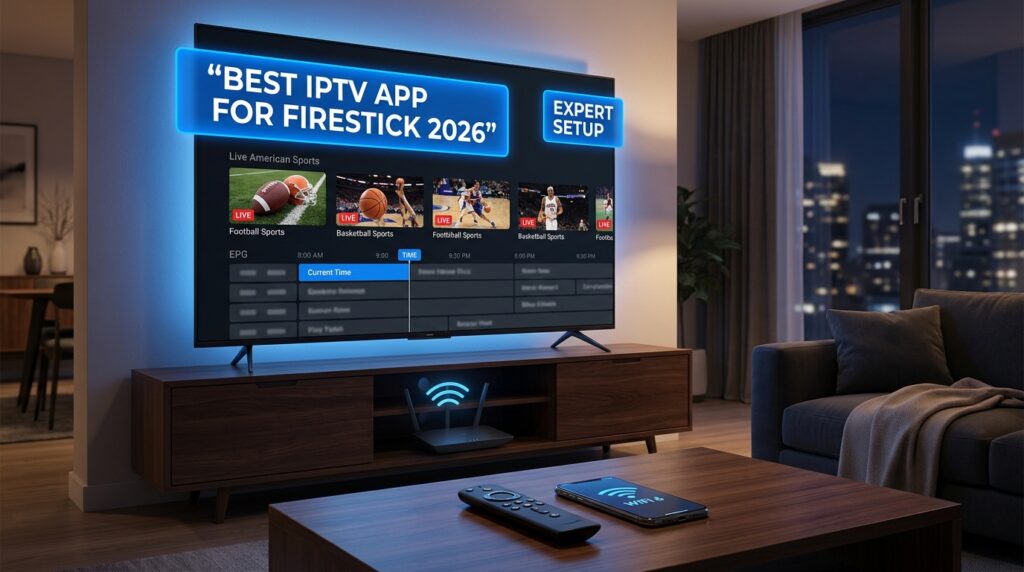
What Makes the Best IPTV App for Firestick 2026 Stand Out?
To choose the right software, you must understand how digital broadcasting interacts with modern streaming hardware. Traditional cable relies on physical coaxial lines delivering linear radio frequency channels decoded by bulky, rented receivers.
Modern internet broadcasting fundamentally shifts this model. Live television feeds are compressed into high-efficiency digital data packets and transmitted across standard IP networks. For a foundational technical overview of how digital packet routing functions globally, consult the Wikipedia entry on Internet Protocol Television.
The best IPTV app for Firestick 2026 acts as the crucial translation engine on your television. It ingests complex stream manifests, organizes channel indexes, and leverages your Firestick’s onboard graphics processor to decode 4K video feeds in real time.
Hardware Decoding and the Amazon Fire OS Architecture
Streaming high-bitrate live video requires immense processing overhead. The best IPTV app for Firestick 2026 must utilize hardware acceleration rather than relying on software decoding.
Hardware decoding hands off video processing directly to the Firestick’s Mali GPU. This optimization keeps the device cool, prevents memory leaks, and ensures that fast-paced action—such as hockey pucks or football spirals—renders smoothly at 60 frames per second without frame drops.
The Critical Role of USA Server Infrastructure
Even the finest media player will stutter if the backend server is underpowered or geographically distant. If an app pulls data from an overloaded overseas server, transatlantic latency will create constant buffering loops.
To experience the true capability of the best IPTV app for Firestick 2026, the underlying stream must originate from localized domestic data centers. Premium providers deploy dedicated edge servers across North America, cutting latency down to milliseconds and ensuring instant channel switching.
Top Contenders for the Best IPTV App for Firestick 2026
The third-party application market contains hundreds of generic video players. However, only a select few applications possess the architectural stability required to earn the title of the best IPTV app for Firestick 2026.
Evaluating these platforms requires examining their user interfaces, Electronic Program Guide (EPG) rendering speeds, and compatibility with modern playlist formats.
TiviMate IPTV Player: The Power User Benchmark
Widely regarded by cord-cutting veterans as the gold standard, TiviMate delivers an interface that rivals—and often exceeds—the navigation experience of high-end satellite receivers.
-
Native Fire OS Remote Integration: Seamlessly maps channel flipping, guide browsing, and preview windows to the standard Alexa Voice Remote.
-
Customizable EPG Timelines: Allows users to adjust grid sizes, channel logo alignments, and schedule update intervals down to the minute.
-
Multi-View Functionality: Enables sports fans to split their screen and monitor up to four live games simultaneously on compatible Firestick 4K devices.
For households seeking a polished, cable-like interface, TiviMate consistently proves why it is frequently crowned the best IPTV app for Firestick 2026.
IPTV Smarters Pro: The Versatile Family Favorite
IPTV Smarters Pro remains one of the most widely deployed media players worldwide due to its straightforward layout and multi-platform availability.
The application categorizes content into clear, distinct portals: Live TV, Movies, Series, and Catch-Up. It includes built-in parental controls, master search filters, and multi-user profile support, making it an exceptional choice for busy family rooms where simplicity is paramount.
XCIPTV Player: Streamlined Visual Navigation
XCIPTV offers a dynamic, tile-based menu interface that feels modern and intuitive on large displays.
It features dual integrated media players (ExoPlayer and VLC Player), allowing users to switch decoders instantly if an exotic audio codec or video container fails to load. Its clean dashboard layout makes it an outstanding runner-up for anyone deciding on the best IPTV app for Firestick 2026.
Key Features to Demand in Your Setup
Not all media players are built to handle massive channel lineups. When configuring the best IPTV app for Firestick 2026, ensure your selected software supports enterprise-grade streaming protocols.
Selecting an app lacking modern API support forces you to rely on clunky, outdated workarounds that degrade overall viewing performance.
Seamless Xtream Codes API Integration
In earlier generations of internet television, users were forced to manually download and type massive M3U playlist URLs. These text files frequently contained hundreds of thousands of lines, causing memory crashes on Firesticks with limited RAM.
The best IPTV app for Firestick 2026 relies on the Xtream Codes API protocol. Instead of downloading the entire database at once, your Firestick dynamically queries only the specific category or channel you select, resulting in instantaneous loading times and zero memory bloat.
Advanced Catch-Up and Electronic Program Guides (EPG)
Live television is only as useful as its scheduling guide. A broken EPG leaves viewers guessing what is currently playing or what airs next.
When choosing the best IPTV app for Firestick 2026, prioritize software that automatically refreshes EPG data via XMLTV formats. Furthermore, verify that your provider supports server-side Catch-Up, allowing you to scroll backward in the guide to replay shows or sporting events that aired earlier in the week. To explore how an organized channel and EPG lineup functions, check our comprehensive channels list.
Optimizing Your Amazon Firestick for 4K Performance
A top-tier media player cannot compensate for an unstable home network or an overloaded streaming stick. To guarantee that the best IPTV app for Firestick 2026 operates at peak performance, you must optimize your local operating environment.
Amazon Firesticks run numerous background diagnostic processes and sponsored home-screen carousels that consume precious RAM and wireless bandwidth.
Bandwidth Benchmarks for Ultra HD Streaming
High-bitrate live video leaves zero room for packet drops. Unlike on-demand video platforms that can buffer several minutes ahead, live television streams must arrive continuously in real time.
According to federal data transmission standards, uninterrupted video streaming requires consistent bandwidth minimums. Review the official FCC Broadband Speed Guide for baseline household metrics.
To ensure your setup operates flawlessly, maintain these dedicated bandwidth tiers per streaming device:
-
Standard Definition (SD): 5 Mbps dedicated download speed.
-
High Definition (1080p): 15 Mbps dedicated download speed.
-
Ultra High Definition (4K / 60 FPS): 30+ Mbps dedicated download speed.
Before testing your media player, verify your true wireless speeds using an independent utility like Speedtest by Ookla directly from your Firestick browser.
Wi-Fi 6 Optimization vs. Hardwired OTG Ethernet Adapters
Wireless interference is the primary cause of sudden micro-buffering in modern apartments and dense suburban neighborhoods.
-
Switch to 5 GHz or Wi-Fi 6: If your router supports dual-band transmission, connect your Fire TV Stick strictly to the 5 GHz band. The 2.4 GHz band is heavily congested with household appliances and smart plugs.
-
Deploy an OTG Ethernet Adapter: For absolute stability during live NFL, NBA, or pay-per-view events, connect an inexpensive micro-USB OTG Ethernet adapter to your Firestick. A physical copper cable completely eliminates Wi-Fi packet drops.
-
Clear App Cache Regularly: Open Firestick Settings > Applications > Manage Installed Applications, and clear cached data on your streaming player once a month to prevent background bloat.
These hardware optimizations ensure that whichever platform you select as the best IPTV app for Firestick 2026 operates with absolute stability.
Security, Privacy, and VPN Configuration on Firestick
When transmitting live video streams over residential internet connections, digital privacy and traffic management become essential considerations.
The underlying technology of receiving digital video packets is entirely standard. To understand the legal framework governing digital rights and online distribution, you can review consumer protections outlined by the U.S. Copyright Office.
Eliminating ISP Throttling During Live US Sports
Many major American Internet Service Providers (ISPs) deploy automated Deep Packet Inspection (DPI) algorithms. When your household pulls sustained high-bandwidth video packets during peak evening hours, your ISP may intentionally throttle your connection speed to preserve neighborhood network integrity.
Running a Virtual Private Network (VPN) alongside the best IPTV app for Firestick 2026 prevents this selective throttling. A VPN encapsulates your data inside an encrypted tunnel, preventing your internet provider from identifying your video streams and ensuring your bandwidth remains wide open.
Protecting Your Household’s Digital Footprint
In addition to eliminating ISP speed limits, VPN encryption safeguards your network credentials from interception on public or shared Wi-Fi networks.
Independent digital privacy organizations emphasize the necessity of end-to-end encryption for modern connected households. For extensive information on consumer digital privacy rights, visit the Electronic Frontier Foundation (EFF).
Step-by-Step: Installing the Best IPTV App for Firestick 2026
Because specialized IPTV media players provide open playback capabilities, many of them are not hosted directly on the standard Amazon Appstore. Installing them requires a quick, secure sideloading process using the official Downloader application.
Follow these exact steps to prepare your streaming stick for the best IPTV app for Firestick 2026:
Step 1: Enable Developer Options
-
Navigate to Settings on your Firestick home screen.
-
Select My Fire TV > About.
-
Highlight your device name and click the center remote button 7 times rapidly until a notification displays: “No need, you are already a developer.”
-
Press the Back button and open the newly revealed Developer Options menu.
-
Turn ON Apps from Unknown Sources (or enable permissions per-app on newer Fire OS versions).
Step 2: Install Downloader and Fetch the Player
-
Return to the Find menu and search for Downloader (an orange icon by AFTVnews).
-
Install and launch the application, granting permission to access storage.
-
Enter the official numeric code or direct download URL for your chosen media player (e.g., TiviMate or IPTV Smarters Pro).
-
Allow the installation file to download, click Install, and then delete the temporary APK file to save device storage.
Step 3: Connect Your Xtream Codes Credentials
-
Launch your newly installed media player.
-
Select Add Playlist and choose Xtream Codes API.
-
Enter the server URL, Username, and Password provided by your premium subscription provider.
-
Allow the application a few moments to download channels, movie categories, and the Electronic Program Guide.
Once complete, your device is running the best IPTV app for Firestick 2026, delivering thousands of channels in an organized layout. To learn more about our server compatibility with Fire OS devices, visit our about us page.
Avoiding Common Traps With Firestick Streaming Apps
The popularity of cord-cutting has attracted opportunistic resellers and fraudulent operations. Protecting your investment requires knowing what red flags to watch for.
Navigating the market with technical awareness protects your financial security and guarantees an enjoyable home entertainment setup.
Beware of Pre-Loaded “Jailbroken” Firesticks
Online marketplaces like eBay and Facebook Marketplace are flooded with sellers offering “fully loaded” or “jailbroken” Firesticks for a high upfront fee.
In reality, there is no such thing as “jailbreaking” a Firestick; these sellers simply sideload free, unstable applications that stop working weeks later. Never pay an inflated price for physical hardware when you can install the best IPTV app for Firestick 2026 yourself in under five minutes.
The Danger of Bloated, Ad-Filled Free APKs
Many generic streaming apps advertised on third-party forums are loaded with invasive advertisements, hidden coin-mining scripts, or telemetry trackers that degrade Firestick performance.
Always utilize clean, recognized media players like TiviMate or IPTV Smarters Pro that operate without embedded third-party ad injection. If you encounter any configuration roadblocks, contact our dedicated support team for technical assistance.
Testing Your Provider Before Committing
Before committing your money to any long-term streaming package, it is essential to verify server reliability under real-world viewing conditions.
An impressive channel list means nothing if the service freezes the moment a major live event kicks off. Always demand a short trial period to verify server latency and EPG accuracy on your own equipment.
The Saturday Night Stress Test
To confirm that your media player and provider combination can handle real-world demands, perform your primary testing on a Saturday or Sunday evening between 8:00 PM and 11:00 PM EST.
Tune into a high-demand sports channel broadcasting in 4K or 60 FPS. If the stream loads instantly, maintains audio synchronization, and plays without stuttering, you have verified both your network and server infrastructure. To evaluate our high-performance domestic servers on your own Firestick, claim your 24-hour trial today before securing an annual plan.
Frequently Asked Questions
What is the single best IPTV app for Firestick 2026?
For dedicated live television enthusiasts, TiviMate remains the premier player due to its fluid EPG, multi-screen functionality, and native remote integration. For users who prioritize a balanced split between live channels and on-demand movies, IPTV Smarters Pro serves as an outstanding, user-friendly alternative.
Do these applications come with free TV channels pre-installed?
No. The best IPTV app for Firestick 2026 is strictly an independent media player. It contains no channels, playlists, or content out of the box. Users must connect their own legitimate digital subscription via Xtream Codes API or M3U link to populate the guide.
Will my Firestick overheat while streaming live 4K channels?
When running the best IPTV app for Firestick 2026 with hardware acceleration enabled, your Firestick processes video efficiently without dangerous thermal buildup. However, using the included HDMI extender to position the streaming stick away from your TV’s heat dissipation vents is strongly recommended.
Can I use one subscription across multiple Firesticks in my house?
Most standard streaming plans provide one concurrent connection at a time. If you plan to stream simultaneous channels on multiple televisions throughout your home, ensure you select a multi-connection package to prevent automated server lockouts.
Is sideloading apps via Downloader safe for my Amazon Firestick?
Yes. Downloader is an official, vetted application available directly inside the Amazon Appstore. As long as you download verified APK files from reputable media player developers, sideloading is completely secure and supported by Fire OS architecture.
Conclusion: Upgrade Your Living Room Entertainment Today
Transitioning away from obsolete cable packages to internet-based broadcasting is the smartest entertainment upgrade an American household can make in 2026. You regain complete control over your monthly budget while elevating your television viewing experience to modern digital standards.
However, software and hardware must work in harmony. Equipping your television with the best IPTV app for Firestick 2026 gives you an exceptional navigation interface, but pairing that software with low-latency, enterprise-grade USA servers is what ultimately guarantees buffer-free playback.
Do not settle for pixelated feeds, lagging interfaces, or frustrating outages when watching the shows and teams you love. Prioritize domestic server stability, open API software architecture, and verified network performance.
Are you ready to unlock thousands of live sports networks, premium entertainment channels, and extensive on-demand libraries directly on your Firestick? Start your premium subscription today and experience the pinnacle of modern home streaming. For direct, personalized guidance on configuring your Fire TV Stick, our technical specialists are available right now on WhatsApp at +212 642-212736 to get your home theater operational in minutes.