

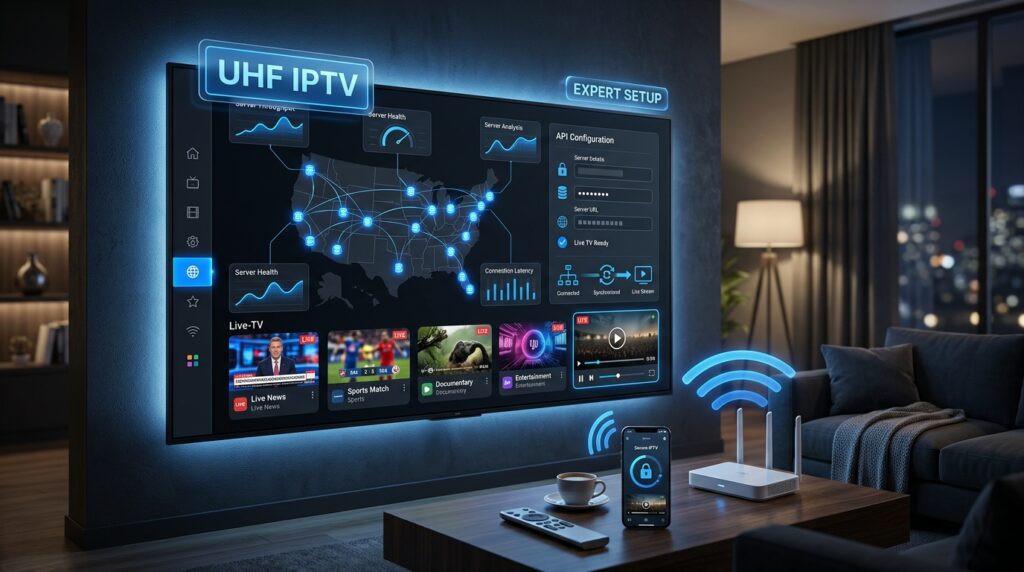
What Exactly is the UHF IPTV Application?
To make an informed purchasing decision in today’s digital market, you must first understand the underlying technology that powers modern video broadcasting. Traditional cable relies on a massive, aging network of physical coaxial cables.
Internet-based broadcasting fundamentally disrupts this physical limitation. Instead of relying on a dedicated cable line, the video feed is encoded into compressed data packets and transmitted over the open web. For a deep technical overview of how this digital routing operates across global networks, you can review the Wikipedia entry on Internet Protocol Television.
When you download the UHF IPTV app from the App Store, you are downloading a sophisticated video decoder. It is built natively for iOS and tvOS, meaning it runs incredibly fast on Apple’s internal processors. However, it requires a subscription from a premium host to actually display content.
Why You Need Premium USA Servers
Server latency is your absolute biggest enemy when streaming live television. If you load an overseas subscription into your UHF IPTV player, you will experience severe broadcast delays during high-traffic events.
The most reliable digital platforms utilize localized Content Delivery Networks (CDNs) placed strictly within major US data centers. When you link your UHF IPTV app to a domestic architecture, your television receives video packets locally, guaranteeing a flawless, buffer-free 4K experience.
The Financial Benefit of Utilizing a UHF IPTV Setup
The primary catalyst driving households to build a UHF IPTV home theater is the undeniable, massive financial benefit. Traditional cable providers are notorious for luring customers in with introductory pricing that quietly doubles after twelve months.
When you meticulously analyze a standard cable invoice alongside modern streaming trends, the predatory fees driving consumers away become glaringly obvious.
Eradicating Hidden Cable Surcharges
Legacy telecom companies layer their monthly bills with mandatory surcharges that drastically inflate your actual out-of-pocket cost. These hidden fees add up to hundreds of dollars a year in wasted money.
-
Broadcast TV Fees: A mandatory $15 to $20 charge simply to access free, over-the-air local networks like NBC or ABC.
-
Regional Sports Surcharges: Applied to your bill regardless of whether you actually watch your local baseball or hockey teams.
-
Equipment Rentals: Monthly charges of $10 to $15 for every single outdated, dusty set-top box in your home.
When you migrate your household to a premium provider and use your UHF IPTV app, the financial model is built on radical transparency. You utilize the Apple TV or iPad you already own, eliminating hardware rental fees entirely and saving the average family over $1,200 annually.
Key Features of the UHF IPTV Application Interface
Navigating the crowded streaming marketplace requires robust software. The developers of this application prioritized user freedom, visual transparency, and deep Apple ecosystem integration.
Before you load your provider’s credentials, you must understand the specific technical features that make a UHF IPTV setup so highly sought after by modern American cord-cutters in 2026.
Flawless Regional Sports Network (RSN) Organization
One of the biggest frustrations for US viewers is navigating a cluttered sports menu. Legacy companies frequently dispute contracts with regional networks, but digital providers aggregate everything into one massive list.
A properly configured UHF IPTV interface allows you to favorite and categorize these channels cleanly. When you connect a premium subscription, you bypass local blackouts and organize your local broadcasts into a single, uncensored, easily navigable menu. To see how a meticulously organized live TV lineup should look before you load it, browse our comprehensive channels list.
iCloud Synchronization Across Devices
One of the most powerful features of the UHF IPTV application is its native iCloud integration. Because it is an Apple-first application, your playlists, favorites, and watch history sync across all your devices.
You can start watching a 4K Video-On-Demand movie on your Apple TV in the living room, pause it, and immediately resume playing exactly where you left off on your iPhone while commuting.
Network Requirements for Your UHF IPTV Streams
One of the most common mistakes new users make is blaming the UHF IPTV app or their new streaming host for buffering that is actually caused by their own weak home internet network.
Streaming live, uncompressed 4K video requires serious, consistent bandwidth. According to official federal guidelines, specific dedicated speeds are required for uninterrupted digital viewing. You can consult the FCC Broadband Speed Guide for detailed bandwidth metrics.
To ensure your connection performs flawlessly, your local network must meet these strict minimums:
-
Standard Definition (SD): 5 Mbps dedicated download speed.
-
High Definition (1080p): 15 Mbps dedicated download speed.
-
Ultra High Definition (4K): 30+ Mbps dedicated download speed per active television.
Wi-Fi 6 Optimization and Ethernet Connections
To extract maximum performance from your Apple TV, relying on basic, ISP-provided Wi-Fi is rarely sufficient. Follow these professional networking optimizations for your UHF IPTV setup:
-
Use Ethernet Cables: Hardwiring your Apple TV 4K directly to your router is the absolute best way to eliminate buffering and wireless packet loss entirely.
-
Utilize 5GHz Wi-Fi: If you are using an iPad or iPhone, ensure your device is connected to the 5GHz Wi-Fi frequency, not the slower 2.4GHz band.
-
Run Accurate Speed Tests: Use a reliable diagnostic tool like Speedtest.net standing directly next to your television before booting up your streams.
Hardware Selection: Apple Ecosystem and UHF IPTV
When transitioning to digital broadcasting, device compatibility is crucial. The beauty of this specific application is that it turns your existing, high-end Apple hardware into a premium cable replacement.
You never need to purchase a proprietary, locked-down Android box from a reseller. When you secure a plan from an elite digital provider, they issue credentials that load instantly into your Apple hardware.
Top Apple Devices for 2026 Setups
-
Apple TV 4K (3rd Gen or newer): The absolute gold standard for a UHF IPTV home theater. Its A15 Bionic chip processes massive live TV channel lists and loads Electronic Program Guides (EPG) in milliseconds.
-
iPad Pro: Perfect for high-resolution streaming in bed or while traveling, utilizing the application’s clean touch interface.
-
iPhone 15/16 Pro: Ideal for casting your streams to external monitors or enjoying live sports on the go.
If you are unsure which hardware fits your living room or how to maximize your Apple TV capabilities, learn more about our highly compatible platforms on the IPTV Verse about us page.
How to Configure Xtream Codes in Your UHF IPTV App
In the past, users had to manually download massive M3U text files to load their channels. This outdated method constantly crashes modern streaming applications and ruins scheduled recordings.
The modern standard for configuring your UHF IPTV application is the Xtream Codes API. This acts as a direct, secure tunnel to the provider’s database.
The Superiority of Xtream Codes Integration
Instead of downloading a 100,000-line text file, the API allows your Apple TV to dynamically request only the specific channel category you are currently viewing.
To set this up in the UHF IPTV app, simply select “Add Playlist,” choose “Xtream Codes API,” and input the Username, Password, and Server Portal URL provided by your premium host. This results in lightning-fast menu navigation and a flawlessly synced TV Guide (EPG).
Security, Privacy, and Your UHF IPTV Connection
When migrating your household’s entertainment entirely to the internet, understanding digital privacy is paramount. The underlying technology of receiving video packets over the web is standard and entirely legal for consumers.
However, the regulatory environment surrounding digital copyright is strict. To understand the legal framework of digital intellectual property in the United States, you can refer to the U.S. Copyright Office website.
Bypassing ISP Throttling with VPNs
Internet Service Providers (ISPs) actively monitor their customers’ web traffic. When you open your UHF IPTV app and begin pulling heavy video data for a live NFL game, your ISP may intentionally throttle (slow down) your connection.
To prevent this artificial slowing and protect your digital privacy, cybersecurity experts highly recommend using a Virtual Private Network (VPN). A VPN creates an encrypted tunnel for your traffic, completely hiding your viewing habits from your ISP. For extensive resources on protecting your consumer digital rights, visit the Electronic Frontier Foundation (EFF).
Identifying a Genuine Provider for Your UHF IPTV Player
When evaluating different streaming platforms to link to your app, most buyers focus entirely on channel counts and introductory pricing. However, experienced cord-cutters know that responsive customer support is the single most valuable feature.
Internet video hosting relies on highly complex global servers. Occasionally, a live channel will go down, or a VOD movie link will need a manual refresh on the backend.
Testing the Customer Support Infrastructure
When technical issues arise, you want to know that the company managing the servers for your UHF IPTV interface offers instant live chat or WhatsApp assistance for immediate troubleshooting during US waking hours.
If a platform only offers support via a slow email ticketing system that takes three days to reply, they are not a reliable provider. For an example of how premium, 24/7 technical assistance should operate seamlessly, contact our dedicated support team.
Step-by-Step: Testing a USA Provider for UHF IPTV
Before making a year-long financial commitment to any platform, it is absolutely vital that you test the service yourself on your own Apple hardware. Never rely purely on marketing claims or outdated online reviews.
If you are ready to evaluate a company to see if they are the perfect match for your UHF IPTV configuration, you must follow this rigorous testing methodology first:
-
Request a Short Trial: Never commit to more than a month initially without testing the servers on your own home network.
-
Test During Peak Hours: Watch a live sports channel on your Apple TV between 7:00 PM and 10:00 PM on a Saturday evening to see how their domestic servers handle peak traffic.
-
Verify Device Syncing: Ensure the provider’s Xtream Codes API allows your watch history to sync smoothly between your Apple TV and your iPhone.
To test a premium, open-system host that consistently passes all these stress tests, claim your 24-hour trial today before you officially buy a long-term plan.
Frequently Asked Questions
Why are USA servers critical for my UHF IPTV app?
Domestic servers completely eliminate transatlantic data lag. If your provider hosts their files in Europe, your video packets must cross the ocean, resulting in constant buffering during high-traffic sports events. USA servers guarantee a smooth connection to your Apple TV.
Will my live sports streams buffer during a major event?
Buffering depends on two primary factors: the stability of the servers you linked to your UHF IPTV app and the quality of your home internet. If you secure a package with a top-tier host and maintain at least 30 Mbps of download speed, your streams will not buffer.
Can I use multiple Apple devices at once with this app?
Yes, but you must ensure you purchase a multi-connection plan from your provider. If you buy a standard plan, attempting to stream on your Apple TV and your iPad simultaneously will result in a server block.
Is it safe to pay for a full year upfront for these services?
No. When you first decide to upgrade your television, always start with a short trial or a one-month subscription. Verify the server stability, channel quality, and customer support responsiveness for a few weeks before committing to a longer, discounted annual plan.
Do I need a Smart TV to cut the cord?
No. While modern Smart TVs have built-in apps, using a dedicated Apple TV 4K loaded with this application offers a drastically faster, smoother, and more premium user experience than any standard television operating system.
Conclusion: Maximize Your UHF IPTV Experience Today
Cutting the cord and moving to internet-based television is the smartest financial and entertainment decision you can make in 2026. However, your decision on which provider you link to your app dictates your entire viewing experience in your living room.
The modern US viewer demands flawless live sports streams, a massive, frequently updated VOD library, and the absolute freedom to use the hardware they prefer. Loading a cheap overseas reseller into your premium Apple ecosystem will only result in severe server crashes during peak Saturday night hours. It is simply not worth your hard-earned money.
The only way to truly guarantee a seamless television experience is to ensure you are fueling your UHF IPTV application with a premium subscription operating on domestic USA infrastructure. You must become your own reviewer and prioritize localized server stability over generic marketing claims.
Are you looking for a streaming provider that prioritizes premium server stability, comprehensive domestic channels, and total compatibility with Apple devices? Start your premium subscription today and unlock the ultimate home theater experience. If you need step-by-step assistance setting up your Apple TV, configuring your Xtream Codes API, or optimizing your network, our expert technicians are available right now on WhatsApp at +212 642-212736 to provide immediate, personalized guidance.