

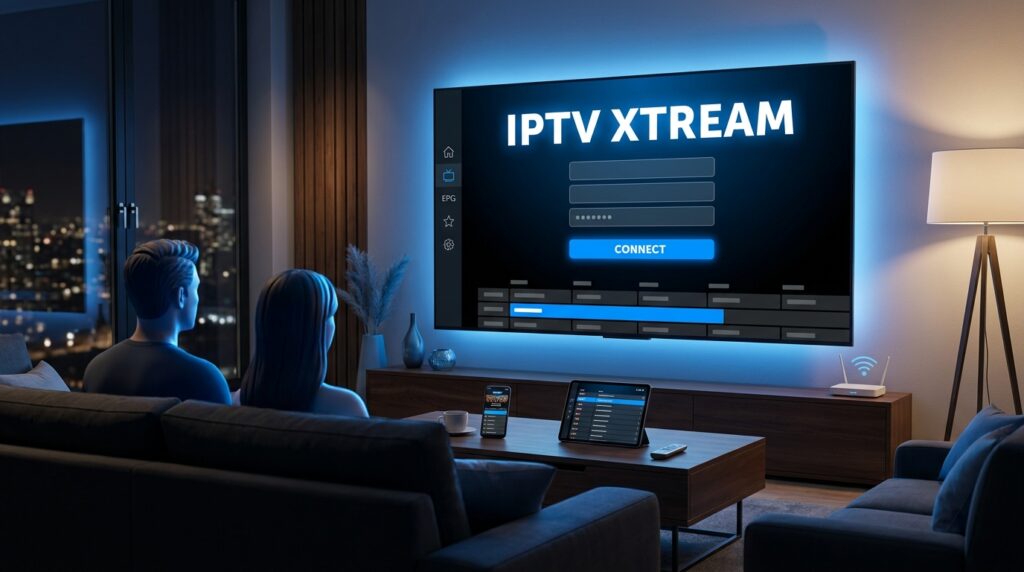
What Is IPTV Xtream?
IPTV Xtream refers to Xtream Codes, a login and delivery format for IPTV over your internet connection. The Wikipedia entry on Internet Protocol Television covers the underlying technology.
Instead of a single long link, IPTV Xtream connects your service to a player using three pieces of information:
- A username, provided by your service
- A password, provided by your service
- A server URL, the address of your provider
Why this format exists:
- It is more structured than a plain link
- It lets the player pull richer data
- It updates more reliably than a static file
- It became the industry standard for good reason
That structure is what makes IPTV Xtream more capable than an M3U link, as the next sections explain.
IPTV Xtream vs M3U: The Key Difference
This deserves the first substantive section, because it is the choice everyone faces.
Both IPTV Xtream and M3U connect your service to a player, but they work differently and deliver different experiences.
How M3U works:
- A single long URL containing your channel list
- Static, pointing to a fixed playlist file
- Simple to paste, but limited in features
- Often lacks full EPG and catch-up support
How IPTV Xtream works:
- Login credentials plus a server URL
- Dynamic, pulling live data from the server
- Enables the full EPG, catch-up, and management
- Updates automatically as the service changes
The practical difference:
- M3U gives you channels, IPTV Xtream gives you the full experience
- The EPG fills properly with IPTV Xtream
- Catch-up works where the service supports it
- Channel changes update without re-entering a link
For most users, IPTV Xtream is simply the better connection method when a service offers it. Compare a service built for it on our full channels list.
Why IPTV Xtream Unlocks More Features
Digging into what the format actually enables.
The reason IPTV Xtream beats M3U is that its structured connection lets the player and server communicate richly, not just fetch a static list.
What IPTV Xtream enables:
- A complete EPG: the program guide fills accurately
- Catch-up: replay recent programs, where supported
- Clean categories: channels organized properly
- Automatic updates: new channels appear without effort
Why M3U falls short here:
- A static file cannot pull live guide data as well
- Catch-up often does not work through plain M3U
- Updates require re-entering the link
- Organization is more limited
If your service supports IPTV Xtream and you use M3U instead, you are leaving features on the table. The guide stays emptier, catch-up may not work, and you update manually. See what a full-featured service offers on the pricing page.
Which Players Support IPTV Xtream
Practical guidance, because you need a compatible player.
Most major IPTV player apps support IPTV Xtream login. The best options include:
- TiviMate: the premium choice, excellent with Xtream Codes
- IPTV Smarters Pro: beginner-friendly, full Xtream support
- IBO Player: simple and reliable with Xtream login
- Many smart TV apps: increasingly support the format
How to connect with IPTV Xtream:
- Open your player and choose “add playlist”
- Select the Xtream Codes option, not M3U
- Enter your username, password, and server URL
- Let the player load channels and the guide
Choosing a player that fully supports IPTV Xtream ensures you get every feature. TiviMate and IPTV Smarters are the safest choices. Our setup guide walks through connecting.
How to Set Up IPTV Xtream
A step-by-step walkthrough, since setup is simple once you know it.
Connecting via IPTV Xtream takes about five minutes:
- Get your credentials from your service: username, password, server URL
- Install a compatible player, like TiviMate or IPTV Smarters
- Choose “add playlist” and select Xtream Codes
- Enter your three details exactly, they are case-sensitive
- Let the EPG load, filling the guide
- Start watching, with all features enabled
A key tip:
- Copy the credentials exactly, one wrong character stops it
- Double-check the server URL especially
- Save the details somewhere safe
That is the whole process. IPTV Xtream setup is no harder than M3U, but it delivers far more. Get your credentials from our support team.
Common IPTV Xtream Issues and Fixes
Troubleshooting, because small errors are easy to fix.
If IPTV Xtream does not connect, the cause is usually simple:
| Problem | Likely Cause | Fix |
|---|---|---|
| Won’t log in | Wrong credentials | Re-check case-sensitive details |
| Empty guide | No EPG from service | Confirm service provides EPG |
| Channels missing | Server URL error | Verify the exact server URL |
Most IPTV Xtream issues trace to a mistyped credential or a service that does not provide full data. The format itself is reliable. If details are correct and the guide is still empty, the service is the issue, not IPTV Xtream.
Is IPTV Xtream Legal and Safe?
A straight answer serves better than reassurance. IPTV Xtream is a connection format, and formats are neutral and legal, like a file type. Legality depends on the service you connect to, specifically whether it licenses its content.
Choosing a transparent service is what keeps you safe, and the U.S. Copyright Office sets out how content rights operate. IPTV Xtream itself is just how you connect, the subscription is what matters.
Signals of a trustworthy service for IPTV Xtream:
- Xtream Codes login offered, not just M3U
- A trial to test the connection first
- Verifiable channels by name
- A complete EPG through Xtream
- Responsive support for setup
Review our approach on the IPTV Verse about page and our full terms and conditions.
Bandwidth for IPTV Xtream Streaming
IPTV Xtream connects you, but your connection carries the stream. Per the FCC Broadband Speed Guide:
- HD streaming: around 10 Mbps per stream
- Ultra HD 4K: 25 Mbps per stream
- Multiple connections: add those figures together
The IPTV Xtream format does not affect bandwidth needs, the content does. Confirm your speed at Speedtest.net before blaming the connection method.
Four quick fixes solve most streaming issues:
- Wire your main television directly
- Keep devices close to the router
- Schedule big downloads outside viewing hours
- Restart your router weekly
IPTV Xtream vs M3U: Which Should You Use?
Bringing the comparison to a clear recommendation.
For almost everyone, the answer is straightforward:
- Use IPTV Xtream whenever your service offers it
- Use M3U only if Xtream is unavailable
- IPTV Xtream for the full EPG and catch-up
- M3U as a fallback, not a first choice
The only reason to prefer M3U is if your service or player does not support IPTV Xtream. Otherwise, IPTV Xtream delivers a better experience for the same effort. Choose it every time it is available.
Who Benefits Most From IPTV Xtream
Strong fit:
- Anyone wanting a full, accurate EPG
- Users who want catch-up functionality
- TiviMate and IPTV Smarters users
- Viewers who value automatic updates
Less critical for:
- Users happy with a basic channel list
- Anyone whose service only offers M3U
For most viewers, IPTV Xtream is the better connection method, unlocking features that make the whole experience feel premium.
Frequently Asked Questions About IPTV Xtream
What is IPTV Xtream?
IPTV Xtream, or Xtream Codes, is a login format using a username, password, and server URL to connect your IPTV service to a player, unlocking the EPG, catch-up, and more.
Is IPTV Xtream better than M3U?
For most users, yes. IPTV Xtream enables a full EPG, catch-up, and automatic updates, while a plain M3U link is more limited. Use Xtream whenever it is available.
How do I set up IPTV Xtream?
Get your username, password, and server URL from your service, install a player like TiviMate, choose the Xtream Codes option, enter the details, and let the guide load.
Which players support IPTV Xtream?
TiviMate, IPTV Smarters Pro, IBO Player, and many smart TV apps support IPTV Xtream login. TiviMate and IPTV Smarters are the most popular choices.
Is IPTV Xtream legal?
The format itself is neutral and legal, like any connection method. Legality depends on whether the service you connect to licenses its content.
Closing Assessment
IPTV Xtream is the connection format most viewers should be using, yet many default to a plain M3U link and miss out. The difference is real: IPTV Xtream unlocks a full EPG, catch-up, clean channel organization, and automatic updates, while M3U delivers channels and little else. For the same five minutes of setup, IPTV Xtream gives you far more.
The rule is simple: use IPTV Xtream whenever your service offers it, and keep M3U only as a fallback. Get your username, password, and server URL, pair them with a capable player like TiviMate, and you unlock everything your subscription can do. If your current setup uses M3U out of habit, switching to IPTV Xtream is the easiest upgrade to your viewing you can make.
Ready to connect with full-featured IPTV Xtream? Start your 24 hour IPTV trial and set up Xtream Codes with a complete EPG before committing, full access, zero risk. Prefer to ask first? Message us on WhatsApp at 212 783-138394 and we will send your credentials. If this IPTV Xtream guide helped, pass it on.