

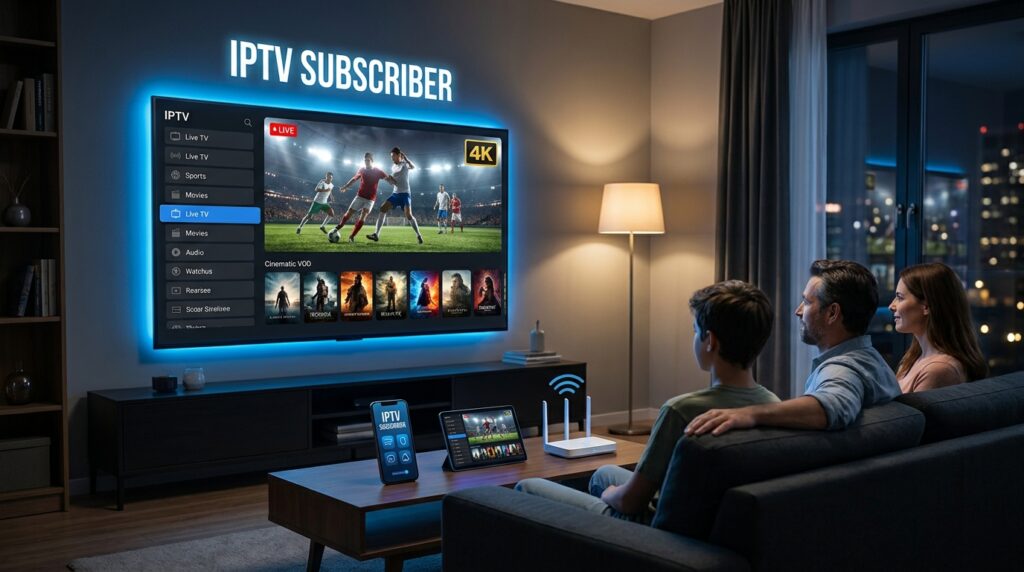
What Does Being an IPTV Subscriber Involve?
IPTV stands for Internet Protocol Television. As the Wikipedia entry on Internet Protocol Television explains, it delivers TV over internet networks rather than cable or satellite.
Unlike cable, where a company installs equipment and bills you until you cancel, an IPTV subscriber holds credentials with a fixed expiry date:
- Nothing is installed, so nothing is maintained by anyone else
- No bill arrives, so renewal is yours to track
- Your device is part of the setup, not the provider’s problem
- Your credentials are the entire product
That independence is the appeal, and it is also why a few small habits matter more than they would with cable.
Habit One: Store Your Credentials Properly
This deserves the first substantive section, because losing credentials is the most avoidable problem an IPTV subscriber faces.
Your login arrives once, usually by email or message, and that message is easy to lose.
What to do on day one:
- Save the credentials to a password manager or a private note
- Record the expiry date in the same place
- Note which provider and which domain you purchased from
- Keep the payment receipt alongside them
- Screenshot the terms as they appeared when you bought
Five minutes at activation saves an evening of searching later, particularly if you change a device mid-term and need to re-enter everything.
Habit Two: Diarise Your Expiry Date
The second habit prevents the most annoying failure of all.
Because no bill arrives, most IPTV subscriber access ends without warning. Streams simply stop, usually at an inconvenient moment.
Set two reminders:
- One a week before expiry, to decide whether to renew
- One on the day, so a lapse is never a surprise
That week’s notice also gives you a natural review point. If the service underperformed, expiry is the moment to switch rather than drifting into another term by default.
Habit Three: Clear Device Storage Monthly
The third habit fixes problems people usually blame on their provider.
Streaming devices ship with modest storage, and a nearly full one behaves badly:
- Apps open slowly or crash on launch
- Guide data fails to populate properly
- Channel lists stutter while scrolling
- Updates fail silently in the background
A ten-minute monthly routine:
- Uninstall apps you never open
- Clear your player app cache
- Keep at least 1 GB free where possible
- Restart the device
Plenty of subscribers switch services over symptoms this routine would have resolved. Rule out your own device before concluding the service is at fault.
Habit Four: Learn to Self-Diagnose
The fourth habit saves time and gets faster help when you do need it.
When something breaks, work through this order before contacting anyone:
Step 1: Is it one channel or all of them?
One channel usually means a temporary source issue. All channels points to your connection, your credentials, or the service.
Step 2: Does another device work?
If a second device streams fine, the problem is the first device rather than your subscription.
Step 3: Is your connection healthy?
Run a test at Speedtest.net on the device you stream with. A weak connection and a weak service look identical on screen.
Step 4: Has anything changed?
A new router, a device update, or a changed password often explains a sudden failure.
Step 5: Have you exceeded your connections?
If streams drop when someone else starts watching, that is a connection limit, not a fault.
Arriving at support with those five answers turns a long exchange into a short one.
Habit Five: Keep Your Credentials Private
The fifth habit protects your access directly.
Your login is the whole product, so treat it accordingly:
- Never post credentials in forums, groups, or social media
- Sharing beyond your household typically breaches provider terms
- Compromised logins can be suspended, ending access mid-term
- A login streaming from many locations looks like abuse
Providers monitor for this, and suspension is a normal consequence. Protecting your login is protecting your subscription.
What Every IPTV Subscriber Should Know About Connections
Worth its own section, because it causes recurring confusion.
Your connection count sets how many devices can stream simultaneously, not how many you may install on.
- Installing on several devices is generally fine
- Streaming beyond your limit causes drops
- A one-connection plan means one screen at a time
- Upgrading connections resolves it permanently
Count the screens active during your household’s busiest evening, then match your plan. Compare tiers on our pricing page.
Internet Speed for a Household of Subscribers
According to the FCC Broadband Speed Guide:
- SD quality: 5 Mbps
- HD and FHD: 10 Mbps
- 4K Ultra HD: 25 Mbps per stream
Those figures are per stream, so several screens active roughly multiplies the requirement. A busy household should aim for 75 to 100 Mbps.
Four fixes that resolve most buffering
- Use wired Ethernet for your main TV
- Keep the router close to your streaming device
- Pause large downloads during peak hours
- Restart your router weekly
Devices Every Subscriber Should Consider
Your hardware is part of the setup, and older devices cause problems no provider can fix:
- Amazon Firestick 4K or 4K Max, the most popular choice
- Smart TVs from 2021 onward across major brands
- Apple TV 4K for iPhone households
- Android phones and tablets for secondary viewing
- Avoid pre-2020 sticks, which struggle with current encoding
Because a subscription is just a login, changing devices costs nothing but re-entering credentials.
IPTV Subscriber vs Cable Customer
Research from Statista on the streaming market documents internet-delivered video growing every year while traditional pay TV keeps shrinking.
| Factor | IPTV Subscriber | Cable Customer |
|---|---|---|
| Monthly cost | $10 to $20 | $100 to $150 |
| Who maintains devices | You | The provider |
| Renewal | Your decision | Automatic until cancelled |
| Ending it | Simply expires | Cancellation process |
| Moving home | Nothing changes | New install |
| Troubleshooting | Mostly self-service | Call the provider |
The trade is straightforward: an IPTV subscriber takes on a little maintenance and saves a great deal of money.
Is Being an IPTV Subscriber Legal?
An honest answer matters here. The technology is entirely legal, and paying for a subscription is legal. What determines legality is whether the provider licenses the content it streams.
When a seller offers premium channels for almost nothing, that raises questions, because real licensing is expensive. Streaming unlicensed content is illegal in the United States and most countries. The U.S. Copyright Office publishes clear information on content rights.
Choose providers that are transparent about their terms, publish real pricing, and accept standard payment methods.
Signs It Is Time to Switch Providers
Every IPTV subscriber should know when to move on:
- Repeated peak-hour failures across several weeks
- Support that stops answering or replies with templates
- Channels disappearing without explanation or replacement
- Quality dropping with no change on your end
- Renewal terms changing without clear notice
- The brand relaunching under a new domain
Because switching costs nothing but new credentials in the same app, there is no reason to tolerate a declining service. Broader protective guidance appears in the FTC’s guidance on avoiding online scams.
Your First Week as an IPTV Subscriber
The most important week, since problems found early are fixable:
- Save credentials and expiry date immediately.
- Search your must-have channels on our full IPTV channels list and open each one.
- Test during a busy evening, not a quiet afternoon.
- Try every device your household will use.
- Message support once, so you know the channel works.
- Confirm your connection count matches your screens.
Not yet subscribed? Our 24 hour trial lets you run all six before paying anything, and our support team answers questions daily.
Frequently Asked Questions About Being an IPTV Subscriber
What should an IPTV subscriber do first?
Save your credentials and expiry date somewhere retrievable, then verify your specific channels during your first evening while problems are still fixable.
Why did my IPTV stop working suddenly?
Common causes are expiry arriving, exceeded connections, a full device storage, or a connection issue. Work through those before assuming a service fault.
How many devices can one IPTV subscriber use?
You can install on many, but only stream on as many as your connection limit allows. Check that number against your household’s busiest evening.
Do IPTV subscriptions renew automatically?
Usually not. Renewal is typically a manual choice, which is why noting your expiry date matters so much.
Can I share my IPTV login with family elsewhere?
Sharing beyond your household generally breaches provider terms and can trigger suspension. Keep credentials private to protect your access.
Final Thoughts: Small Habits, Uneventful Viewing
Being an IPTV subscriber trades a little self-sufficiency for a large saving. You maintain your own device, track your own renewal, and diagnose your own hiccups, and in return you pay a fraction of what cable charges.
None of it is difficult. Save your credentials, diarise your expiry, clear storage monthly, learn the five diagnostic steps, and keep your login private. Ten minutes a month, and the whole subscription stays exactly as boring as television should be.
Ready to start with the right habits? Start your 24 hour IPTV trial and run your first-week checklist before paying anything, full access, zero risk. Questions first? Message our team and get an answer in minutes. And if this guide helped, share it with someone whose streams keep surprising them.