

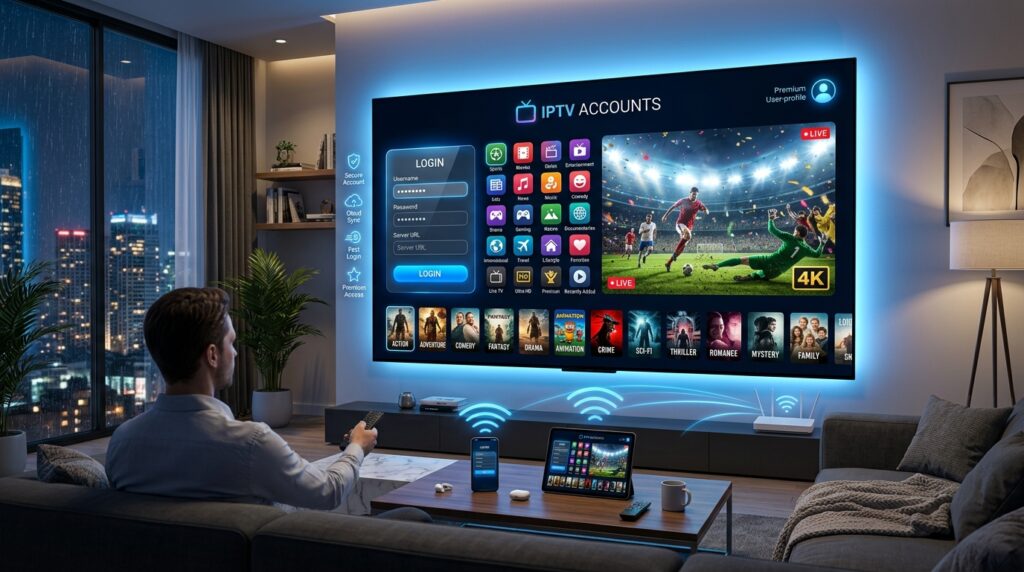
What Are IPTV Accounts?
IPTV accounts are personal login credentials that grant access to an IPTV service. IPTV stands for Internet Protocol Television, which, as explained in the Wikipedia entry on Internet Protocol Television, delivers TV content over the internet instead of cable or satellite.
Your account is simply the key that unlocks the service. It usually comes in one of two forms:
- Xtream Codes login: a username, password, and server URL
- M3U link: a single web address that loads your full channel list
Once you enter those details into a player app, your IPTV account brings thousands of live channels and on-demand titles to your screen instantly.
How Do IPTV Accounts Work?
The process behind IPTV accounts is simpler than most people expect:
- The provider creates your account on their servers after purchase.
- You receive your credentials by WhatsApp or email, usually within minutes.
- You enter them into a player app like IPTV Smarters, TiviMate, or IBO Player.
- The app loads your channels and you press play.
That is the entire mechanism. Your IPTV account authenticates you against the provider’s servers, and the servers stream content back to your device in real time, in quality up to 4K.
If tech is not your thing, our support team walks people through account setup on WhatsApp every day, step by step.
Setting Up Your IPTV Account in 4 Steps
Getting an IPTV account running takes about two minutes. Here is the full process:
- Install a player app. IPTV Smarters and TiviMate are the most popular choices in the USA.
- Open the app and choose to add a new user or playlist.
- Enter your credentials. Type your username, password, and server URL, or paste your M3U link.
- Load and watch. Your channel list appears, sorted by category, ready to stream.
No technician, no cable box, no appointment. If your credentials are correct and your internet is stable, your account works immediately.
How Many Devices Can One IPTV Account Cover?
This is one of the most common questions about IPTV accounts, and the answer depends on your plan.
- Single-connection accounts let you stream on one device at a time
- Multi-connection accounts allow several devices to stream simultaneously
- You can install the account on all your devices regardless, but simultaneous streams are what the plan limits
For a family where different people watch different things at once, a multi-connection account is worth the small extra cost. For a solo viewer, a single connection is usually plenty.
Keep in mind that sharing one account across many different locations can trigger security locks, since providers monitor for abuse.
Security: Protecting Your IPTV Account
Your IPTV account is personal, and treating it carefully keeps your service stable. A few simple habits go a long way:
- Keep your credentials private. Never post them in public forums or groups.
- Do not share your login across multiple households, which can lock the account.
- Download apps only from official sources to avoid malware.
- Use a strong password if the provider lets you set one.
- Report suspicious activity to your provider quickly.
Being cautious online protects more than just your streaming. For broader safety habits, the FTC’s guidance on avoiding online scams is a useful reference.
Are IPTV Accounts Legal and Safe?
This deserves an honest answer. IPTV technology and having an IPTV account are completely legal. What determines legality is whether the provider behind the account holds proper licenses for the content it streams.
When a seller offers premium 4K content and huge libraries for almost nothing, that raises questions, because legitimate licensing costs far more. Streaming unlicensed content is illegal in the United States and most countries. You can read more about content rights from the U.S. Copyright Office.
Warning signs of unsafe IPTV accounts
- Free accounts shared publicly, which are often stolen and die quickly
- Prices that defy logic, a sign the seller will vanish
- Crypto-only payment with no consumer recourse
- No real website or support, only an anonymous chat
- Accounts sold on random forums, which are frequently hacked
A safe IPTV account comes from a transparent provider with a real brand, published pricing, and reachable humans.
Avoid Free and Hacked IPTV Accounts
It is tempting to search for free IPTV accounts, but this almost always ends badly. Here is why the free route costs you more:
- Free accounts are usually stolen from paying customers and get shut down fast.
- They rarely work for long, dying mid-stream without warning.
- They can expose your device if they come bundled with sketchy apps.
- They offer zero support when something breaks, which it will.
- You waste hours setting up something that fails within days.
A genuinely affordable paid account, from a real provider, costs just a few dollars a month and actually works. That is a far better deal than a free account that wastes your evening.
What Should an IPTV Account Cost?
Pricing fools people in both directions. Too expensive and you overpay. Suspiciously cheap and the seller vanishes.
As a realistic guide for the 2026 market:
- Monthly accounts: roughly $10 to $20
- 6-month accounts: often around $40
- Yearly accounts: commonly around $60, the best value per month
- Multi-connection accounts: a little more, for several screens at once
A price like ten dollars for three years is a giant red flag. Server and infrastructure costs make that impossible to sustain honestly. Compare fair, transparent rates on our pricing page.
What Internet Speed Do Your IPTV Accounts Need?
Your account is only as good as your connection. According to the FCC Broadband Speed Guide, target these numbers:
- SD quality: 5 Mbps
- HD and FHD: 10 Mbps
- 4K Ultra HD: 25 Mbps per stream
If several devices on the same account stream at once, those numbers stack. A busy household should aim for 75 to 100 Mbps. Not sure what you have? Run a free test at Speedtest.net and compare.
Keep your streams smooth
- Use a wired Ethernet connection for your main TV
- Keep your router close to your streaming device
- Pause big downloads during peak viewing hours
- Restart your router weekly
Which Devices Work With IPTV Accounts?
Almost anything with a screen and internet:
- Amazon Firestick and Fire TV, the most popular pick in the USA
- Smart TVs from Samsung, LG, Android TV, and Google TV
- Android and Apple phones and tablets
- PC and Mac through VLC or dedicated players
- MAG boxes, Enigma2, Formuler, and KODI
Because your account is just a login, it moves freely between devices. Install it on a new phone or TV, enter the same credentials, and you are watching in seconds.
Managing and Renewing Your IPTV Account
A well-run account is easy to maintain over time. Keep these points in mind:
- Track your expiry date so your service never lapses unexpectedly
- Renew before expiry to avoid any interruption
- Contact support to upgrade from single to multi-connection anytime
- Save your credentials somewhere safe in case you reset a device
Good providers send a reminder before your account expires and let you renew or upgrade with a single message, no forced auto-billing.
IPTV Accounts vs Cable Subscriptions
| Feature | IPTV Account | Cable Subscription |
|---|---|---|
| Average monthly cost | $4 to $15 | $100+ |
| Channel count | 30,000+ worldwide | 200 to 300 regional |
| Contract | None, prepaid | 12 to 24 month lock-in |
| Devices | All screens you own | One box per TV |
| Portability | Works worldwide | Home only |
| Setup | 2 minutes, self-serve | Appointment required |
An IPTV account gives you freedom a cable subscription never could: watch anywhere, on any screen, for a fraction of the price.
Frequently Asked Questions About IPTV Accounts
How do IPTV accounts work?
Your account is a login (username, password, and server URL, or an M3U link) that you enter into a player app to unlock live channels and on-demand content.
Can I use one IPTV account on multiple devices?
You can install it everywhere. How many devices stream at the same time depends on whether your plan is single or multi-connection.
Are free IPTV accounts safe?
Rarely. They are often stolen, die quickly, and can carry security risks. A cheap paid account from a real provider is far safer.
How much does an IPTV account cost?
Roughly $4 to $15 monthly depending on plan length. Suspiciously cheap multi-year deals are usually scams.
Do IPTV accounts work outside the USA?
Yes. Quality accounts work worldwide by default, so your login travels with you.
Final Thoughts: Get an IPTV Account That Actually Works
An IPTV account is the simplest, cheapest way to replace an overpriced cable box, but only if it comes from the right place. Skip the free accounts shared on forums, avoid the impossibly cheap sellers, and choose a provider that publishes its prices, secures your login, and answers when you message.
The smartest first step is to test before you commit, so you know your account works on your own TV and your own connection.
Ready to get an account that just works? Start your 24 hour IPTV trial and set up a real account on your own TV tonight, full access, zero risk. Still have questions? Message our team and get an answer in minutes. And if this guide helped you understand IPTV accounts, share it with a friend who is still confused about how they work.