

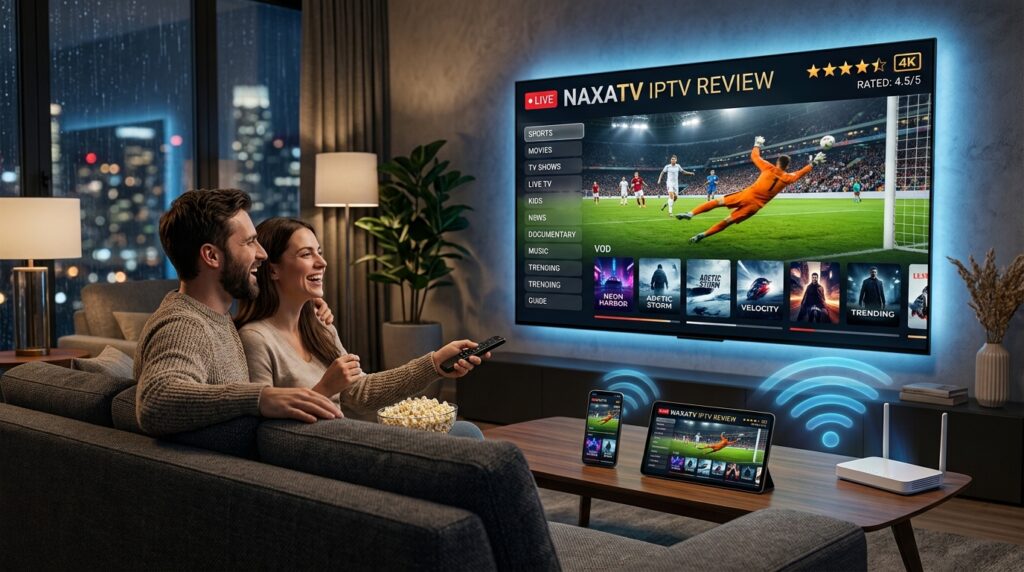
What Is NaxaTV?
NaxaTV is an Internet Protocol Television service. In plain terms, it streams TV content to your devices over your internet connection instead of cable or satellite, using the same core technology behind Netflix and Hulu. For the technical background, the Wikipedia entry on Internet Protocol Television is a clear reference.
The service targets cord-cutters who want a big lineup without a cable bill. Its typical audience includes:
- Casual viewers who want entertainment and movies on demand
- Budget-focused households looking to cut costs
- International viewers who want channels from many regions
In short, NaxaTV competes in the budget-to-mid tier of the IPTV market, leaning on channel volume and low pricing as the main selling points.
NaxaTV Channels and Content
The channel lineup is the headline feature of any NaxaTV IPTV review. The service advertises a large mix across nearly every category, including:
- Live channels from the USA, UK, Canada, and international regions
- Sports coverage including major leagues and PPV events
- News, kids, lifestyle, and documentary channels
- A very large video-on-demand library of movies and series
- HD, Full HD, and 4K streaming options
Advertised numbers vary widely by source, from 21,000 up to 25,000+ channels and a six-figure VOD library. Treat these as marketing estimates rather than verified facts, since lineups shift by reseller. You can see what a clearly listed, transparent lineup looks like on our full IPTV channels list.
NaxaTV Streaming Quality: The Honest Truth
Quality is where this NaxaTV IPTV review gets more nuanced. On standard entertainment channels with a solid connection, users generally describe HD streams as clean and watchable.
The problems appear under pressure. Set realistic expectations:
- Off-peak performance: generally acceptable, with SD and HD holding steady
- Peak-time performance: independent reseller feedback reports noticeable degradation, especially on premium sports
- 4K availability: limited and inconsistent rather than a full native Ultra HD lineup
- Big events: stream drops and loading errors are the most common complaint
This pattern shows up repeatedly across operator communities. NaxaTV handles casual viewing fine, but demanding sports viewers run into walls exactly when it matters most.
NaxaTV Features Worth Noting
Beyond raw channel numbers, a few features come up often in any NaxaTV IPTV review:
- Anti-freeze technology: marketed for stable playback during peak hours
- Multi-device support: Firestick, Android, iOS, MAG, Enigma2, and more
- Player flexibility: works with IPTV Smarters, TiviMate, M3U, and Xtream Codes
- A 24-hour free trial: advertised with no credit card required
- A 7-day money-back guarantee: offered on most plans
These cover the basics well, though the experience is often described as functional rather than premium.
Is NaxaTV Legal and Safe?
This deserves an honest answer. IPTV technology itself is completely legal. What determines legality is whether the provider holds proper licenses for the content it streams.
NaxaTV shares limited public information about its licensing, which is a common caution sign in this market. When premium 4K content and huge libraries stream for a low fee, that raises questions, because legitimate licensing costs far more. Streaming unlicensed content is illegal in the United States and most countries. You can read more about content rights from the U.S. Copyright Office.
Risks to watch for with any budget IPTV service
- Legal exposure from accessing unlicensed streams
- Payment risk, especially with non-standard checkout methods
- Reseller inconsistency, where quality varies by seller
- Sudden shutdowns that leave you without service or refund
- Support gaps on complex technical issues
Before subscribing to NaxaTV or any similar brand, look for transparent company details, clear terms, and standard, traceable payment options.
NaxaTV Pricing and Plans
Pricing follows the familiar market model, with cheaper effective rates the longer you commit.
As a general guide for the 2026 IPTV market:
- Monthly plans typically start around $15
- Yearly plans cut the effective monthly price significantly
- Multi-connection plans cost more but allow several screens at once
Because exact prices change often and differ by reseller, always confirm the current rate directly and read the renewal terms carefully. Compare fair, transparent rates on our pricing page.
What Internet Speed Do You Need for NaxaTV?
Streaming quality on NaxaTV, or any service, depends heavily on your connection. According to the FCC Broadband Speed Guide, you need roughly 5 Mbps for SD, 10 Mbps for HD, and at least 25 Mbps for 4K on a single device.
When several people stream at once, those numbers add up fast. A household running multiple HD or 4K streams should aim for 75 to 100 Mbps to stay smooth. Not sure what you have? Run a free test at Speedtest.net and compare.
Tips to reduce buffering
- Use a wired Ethernet connection for your main TV
- Keep your router close to your streaming device
- Pause large downloads during peak viewing hours
- Restart your router weekly to clear congestion
NaxaTV Pros and Cons
A fair NaxaTV IPTV review has to weigh both sides honestly.
Potential pros:
- A very large advertised channel and VOD selection
- Budget-friendly entry pricing
- Broad device support across Firestick, Android, iOS, MAG, and more
- A free trial and money-back window are advertised
Potential cons:
- Peak-time degradation reported, especially on premium sports
- Limited and inconsistent true 4K availability
- Unclear licensing and gray-market status
- Quality varies by reseller
The recurring theme is a service that satisfies casual viewers but frustrates sports fans when the pressure is on.
What Real Users Say About NaxaTV
User feedback leans positive but clearly split. Many subscribers praise the channel variety, the huge VOD library, and smooth off-peak performance across multiple devices.
The complaints, however, are consistent and cluster around two issues: degradation during big sporting events and inconsistent 4K. Independent reseller communities in particular describe it as suited to the casual subscriber rather than the demanding sports viewer. This split is common across budget IPTV brands, and it comes down to server quality under load.
NaxaTV vs a Stable, Transparent Alternative
The real difference between a budget brand and a dependable provider is not the channel count. It is consistency, safety, and support. Here is how the two approaches compare:
| Factor | Typical Budget IPTV | Reliable IPTV Service |
|---|---|---|
| Sports stability | Degrades at peak | Smooth, even at peak |
| True 4K vs upscaled | Limited, inconsistent | Clearly labeled |
| Licensing transparency | Unclear | Clearly stated |
| Support speed | Variable | Fast, human replies |
| Reseller consistency | Varies a lot | Consistent |
Seen this way, it is clear why sports fans in particular tend to move on from services that stumble during the games they care about most.
Device Compatibility and Getting Started
One reason NaxaTV draws attention is its broad device support. Most subscribers can use hardware they already own, including:
- Amazon Fire TV Stick
- Android phones, tablets, and TV boxes
- Smart TVs from Samsung, LG, and Sony
- Apple TV and iOS devices
- Windows and Mac computers
- MAG boxes, Enigma2, and players like TiviMate
Getting started usually means installing a compatible player, entering the credentials your provider sends, and loading your channel list. Whatever service you choose, always download apps from official sources, keep your credentials private, and test on a short plan first.
Who Should Consider NaxaTV?
Based on everything in this NaxaTV IPTV review, the service suits some viewers better than others:
- Casual watchers who mainly stream entertainment and on-demand content
- Movie and series fans who value a large VOD library
- Budget-focused households cutting a cable bill
If that describes you, NaxaTV may do the job. But if live sports are a big reason you want IPTV, the consistent peak-hour complaints are a genuine red flag worth taking seriously.
How to Choose a Safe IPTV Service
Whether you are weighing NaxaTV or any competitor, the same checklist applies. Run through these before you pay:
- Test stability. Use a trial to judge peak-hour and live sports performance.
- Verify true 4K. Open real Ultra HD channels, not upscaled feeds.
- Read the renewal terms. Confirm how refunds and cancellation work.
- Confirm support. A reachable, fast team matters when channels go down.
- Compare value, not hype. A stable mid-priced plan beats a cheap one that buffers.
- Read real feedback. Look beyond affiliate sites for genuine reviews.
Follow this once and you will sidestep nearly every mistake new subscribers make.
Frequently Asked Questions
Is NaxaTV legit?
It operates like many mid-tier IPTV brands, but licensing is unclear. Verify transparency and payment safety before subscribing.
Is NaxaTV good for sports?
This is its weakest area. Peak-time degradation on premium sports is the most common complaint, so test it first if sports matter to you.
Does NaxaTV offer a free trial?
Yes, a 24-hour trial is advertised with no credit card required. Use it to test peak hours and your must-watch channels.
How much internet speed does NaxaTV need?
Aim for at least 25 Mbps per 4K stream, and 75 to 100 Mbps for multiple simultaneous streams.
Is there a more reliable alternative to NaxaTV?
Yes. Choose a transparent provider with clear terms, a trial, stable sports performance, and fast human support.
Final Verdict and Next Steps
This NaxaTV IPTV review lands on a clear conclusion. NaxaTV is one of many budget streaming services competing for cord-cutters in 2026, with a large channel library and an appealing entry price. Still, the reported peak-time degradation, inconsistent 4K, and unclear licensing mean you should approach it carefully. The smartest move is to prioritize stability, transparency, and support over headline channel counts.
Ready to stream without the gamble? Start a free trial, compare the plans, and switch to a service you can actually rely on, especially on game night.
Start your 24 hour IPTV trial and test every channel on your own TV tonight. Still have questions? Message our team and get an answer in minutes. If this NaxaTV IPTV review helped you, share it with a friend and drop your questions in the comments below.